
Problems rendering a layout in Rails3

From time to time we like to share technical tips when we’ve uncovered a solution to a problem that might help other Rails developers.

Spiffy Stores is written using the Ruby on Rails framework, and we encountered a glitch with the Rails3 layouts. Basically we couldn’t get the layout to display, even though all the syntax was correct. Others have experienced this sort of problem. See http://stackoverflow.com/questions/6605716/cant-render-layout-in-rails-3 for an example.

After lots of digging around and tracing, the answer became clear. The AbstractController::Layouts module has an initialize method, but this method was not being called when a new controller was created.

If you experience this problem, then check any modules that you have included in your controller, as one of them has an initialize method that doesn’t call ‘super’.

If an included module needs an initialize method, then it needs to follow this pattern:

def initialize(*)
  # Module initialization code here
  super
end

If the call to ‘super’ isn’t included, then the initialization chain stops, and your controller won’t be properly initialized. You can find out all the included modules for a controller by executing this code from the console:

MyController.ancestors

Easy theme editing using WebDAV

We’ve always believed in pushing the technical envelope to provide advanced technical solutions to make life easier for our store owners.  This is way more important to us than the hype and gloss that you may find in the rest of the industry.

Over the past year, we’ve been talking to loads of web designers who use Spiffy Stores to create online stores for their customers. Although they love creating new e-commerce shops using our software, the resounding feedback we’ve been getting is that whilst the current Theme Editor in the Toolbox is great for small changes, it get’s a bit more difficult when designing an entire theme for a store.

For larger theme updates it’s really necessary to download the theme files to your computer, edit them and then upload the new files to the server. Using the Theme Editor to do this is a bit cumbersome, and makes the design process more difficult than it should be.

We’ve listened to these concerns, and have spent considerable time and effort working on a solution… so today we’re very proud to announce a major new capability which allows all your theme files and assets to be edited directly from your computer using WebDAV enabled editors such as Adobe’s Dreamweaver, and Panic’s Coda.  If you’re on a Mac, you’re even luckier, as WebDAV is built right into OSX, and can be used in conjunction with TextMate and Taco.

To use this new feature in Windows, all you need is a WebDAV enabled editor or a utility such as NetDrive which allows WebDAV files to be mounted on your computer as a local folder. This means that you can use your favourite editor to edit your store’s theme files directly from your computer.

If you’re using a WebDAV enabled editor such as Dreamweaver, you also have access to some advanced features such a file checkout and locking so that you can work in a team without having to worry about whether someone else overwrites your changes.

If you’re a web designer and your current e-commerce software doesn’t support WebDAV, then you should seriously consider Spiffy Stores for this feature alone, as you’ll find your theme development time slashed significantly.

For more info about using WebDAV to edit your store, head over to the WebDAV section of our knowledge base.

Related articles

Adding URL Redirects makes migrating your online store even easier

A URL redirect can help your customers find your products on your new Spiffy Store site when you migrate from another software platform and your old links are still cached by the search engines. This makes the whole migration process easy and painless as you don’t run the risk of losing sales because your customers can’t find the right products.
In simple terms, a URL redirect lets you map from one web page address to another, and this is the kind of feature that you’ll find supported by most modern ecommerce and online shop builder software.

However, here at Spiffy Stores we like to provide our store owners with the best possible tools for running their online stores, so we decided to go just that little bit further to help you solve your problems without actually creating more work for you.

If you look at the URL Redirection solutions offered by other hosted e-commerce providers, you’ll quickly see that in most cases they don’t offer any form of pattern matching or wildcard support for the redirections. This means that for a large store, you may be forced to enter many thousands of redirection mappings to support the full range of possibilities. Even worse, some don’t even offer a bulk import/export feature, so you have to type in all your redirects by hand.
Continue reading

Syntax highlighting – now in our Liquid template editor

Until now the Theme Editor has displayed your theme’s Liquid template files in a very boring, black text field.

We think this makes it harder to edit and change your theme files than it needs to be, so we’ve added a bit of colour to the whole process.

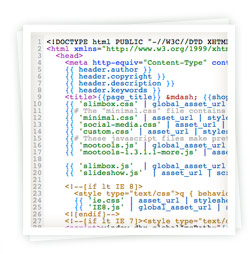
Now, when you go to edit a theme’s Liquid file, you’ll see the text highlighted and colour-coded according to the syntax of the language. You’ll see HTML, CSS and Javascript as well as all the Liquid tags highlighted using different colours so that it makes it a lot easier to navigate your way around the file. In addition, strings, numbers and various other bits of punctuation are highlighted as well.

To round off this update, we’ve added line numbers on the left to make it easier to locate and refer to the code.

In technical terms, this is known as a syntax-directed editor, but we just call it easy to use.

Introducing SASS – Syntactically Awesome Spiffy Stores

Actually, it’s really “Syntactically Awesome Stylesheets”.

For all the theme designers out there, we’ve just made your life a little bit easier. We all know that sometimes CSS stylesheets can get complicated, so anything that can help you manage that complexity is a welcome bonus.

As you may already know, when you enable the Theme Editor by creating a ‘theme.settings‘ file, you can parse your CSS files by making sure they have a suffix of ‘.css.liquid‘.

Now, as part of the CSS processing that gets initiated to deal with the Liquid tags, we’ve added a pass through the SCSS processor, which is part of the SASS CSS extensions. You can read more about these CSS extensions at http://sass-lang.com

By using the CSS extensions, you can simplify your stylesheets by using variables, conditional logic, mixins and templates, nested attributes and a whole lot more. Even better, at the end of the processing you get a compressed CSS file so you can ensure that your site loads as fast as possible. Even if you don’t use any of the CSS extensions, you still get a compressed stylesheet, so that’s got to be something to smile about!

You can read more about the Spiffy Stores Theme Customizations in our Knowledge Base.

Add Geolocation to your Liquid Theme

Here’s something to help you customize your Spiffy Store’s Liquid Theme for your overseas customers.

We have added some new Liquid Theme variables that will give you access to the geolocation data for your customer. This will give you access to the Country, Country Code, City and Timezone information for the customer, based on the IP address being used.

Continue reading

Get Order Notifications when you’re on the move

With more and more people on the move and accessing their Spiffy Stores Toolbox from mobile devices, we’ve added a quick and simple way for you to get timely updates when your online store gets new orders.

Browse to your “Overview of your orders” page in your Spiffy Store Toolbox and you’ll now see an additional entry in the sidebar which includes a data feed link to all your most recent orders.

The new data feed link is encrypted and password protected so you can be sure that your online stores’ customers’ data is safe and secure.

There is more information available on this new feature in our Knowledge Base at http://www.spiffystores.com/kb/Recent_Orders_Data_Feed.

You can use this link on your mobile device to find out when new orders have been placed in your online store rather than having to monitor your email for the email notifications you normally receive.

Spammers Begone

We recently enabled a small security enhancement to the Spiffy Stores software to prevent a security attack called Cross Site Request Forgery (CSRF).

Basically, now an encrypted token is generated and inserted into every form on the store web pages. This prevents a hacker from copying a form from the site and tricking you into executing the form from a fake site, thus giving the hacker access to your account.

Whilst it was extremely unlikely that this sort of attack would work because of the way in which the Spiffy Stores software is designed, it never hurts to improve security wherever possible.

However, it turns out to have an unintended bonus effect!

Spiffy Stores is one of the few ecommerce solutions that has a “Contact Us” form built into your store. This form is generated for you automatically and you don’t need to use a third-party online form service to get something as essential as a contact form.

Now that we have added the Cross Site Request Forgery code, we are seeing instances of spammers who have “copied” the contact forms from various sites and have built them into scripts to try to spam our store owners with fake contact form submissions. All of these attempts are now failing because they are all detected as forgeries, and this means that your inbox will contain less of the spam generated by these pests.

Structuring Information for Search Engine Snippets

Here’s a quick update.

We’ve added a small improvement to our Theme support by defining a new header variable which can be used in the Theme.liquid file as part of the section.

Rather than hand-coding author, copyright, description and keywords meta tags, you can just code

{{ header.author }}
{{ header.copyright }}
{{ header.description }}
{{ header.keywords }}

These variables will automatically generate the appropriate meta tags for your page’s content.

The advantage of these automatically generated tags is that they structure the description information in a way that makes it easy for the search engines to extract the relevant information about your product or page and this will appear as the snippet in the search results.

For details have a look at our Knowledge Base documentation

Liquid Template Variables – header

Geek Mode

geek-tattoo-image

You may notice that some of the store configuration options have disappeared from your Toolbox.

Don’t Panic!

It’s all part of the plan. We’ve been building Spiffy Stores to be a powerful e-Commerce engine, and to that end, we’ve added a lot of configuration options that most users don’t need or understand. So we’ve started to hide them

By default, all users will see the basic set of options you need to get your Spiffy Store up and running. Most people will never need anything more than this.

But when your small business blossoms into a vast multinational corporation, we’ll be there to help you.

To enable the advanced options in your Spiffy Store, just go to “Your Account”, and edit your Staff Account. You’ll find an option there to enable all the Advanced Options.